Enable deeper debugging
In the plugin’s last update (v1.3.0), we included the feature to enable deeper debugging.
What does deeper debugging do, and why do we need to enable them?
In debugging issues, there are times that issues need to be escalated to Tyl’s support team, and they may require a data dump to debug any issues.
Basically, it allows more details to be included in our existing debug logging feature.
How do we enable deeper debugging?
1. To enable it, you must first enable our debug log from your plugin settings.
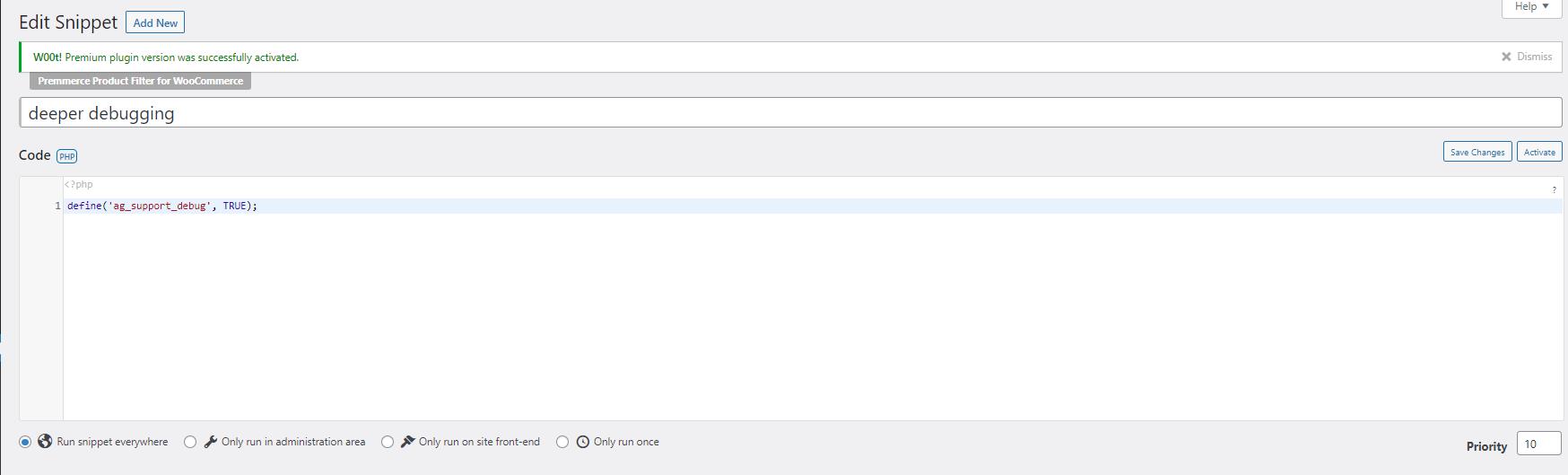
2. Add the code below to the theme (Child theme if you have one) functions.php or use a plugin like the Code Snippets plugin.
define('ag_support_debug', TRUE);Via the Theme’s Functions.php file

Via the Code Snippets plugin (recommended)
Do we need to enable deeper debugging at all times?
We do not recommend that this be left on all the time as this will fill the logs with big chunks of data so that the log may become large. It will help debug as this is the data the Tyl team needs to debug if there are any issues.
Was this helpful?