Group Cards Function
What is the “Group Cards” feature?
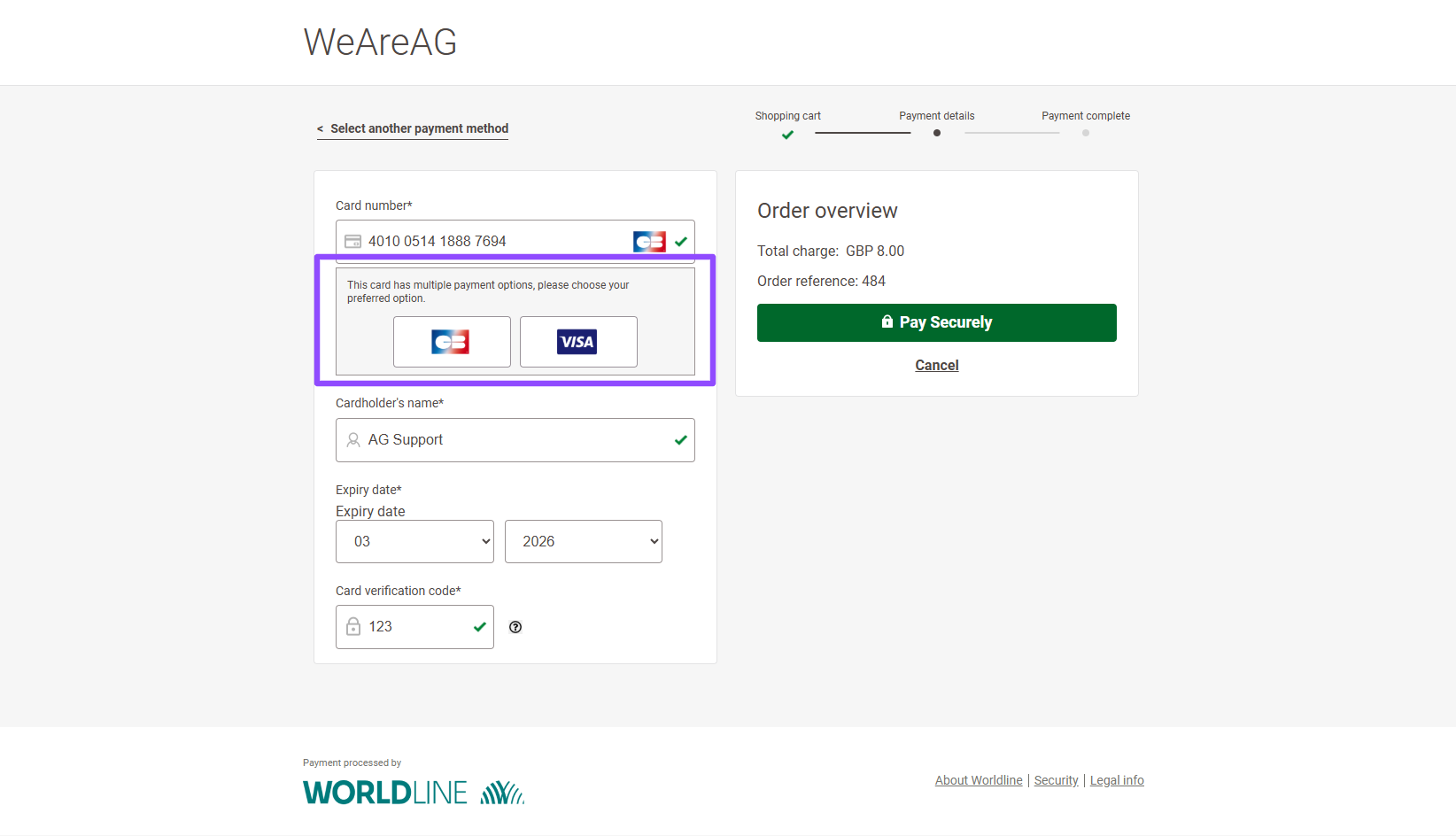
When a customer enters their card number, WorldLine reads the first digits, known as the BIN (Bank Identification Number). The BIN helps identify the card type and country of issue. Based on this, the system automatically selects the most suitable scheme, usually the local one.
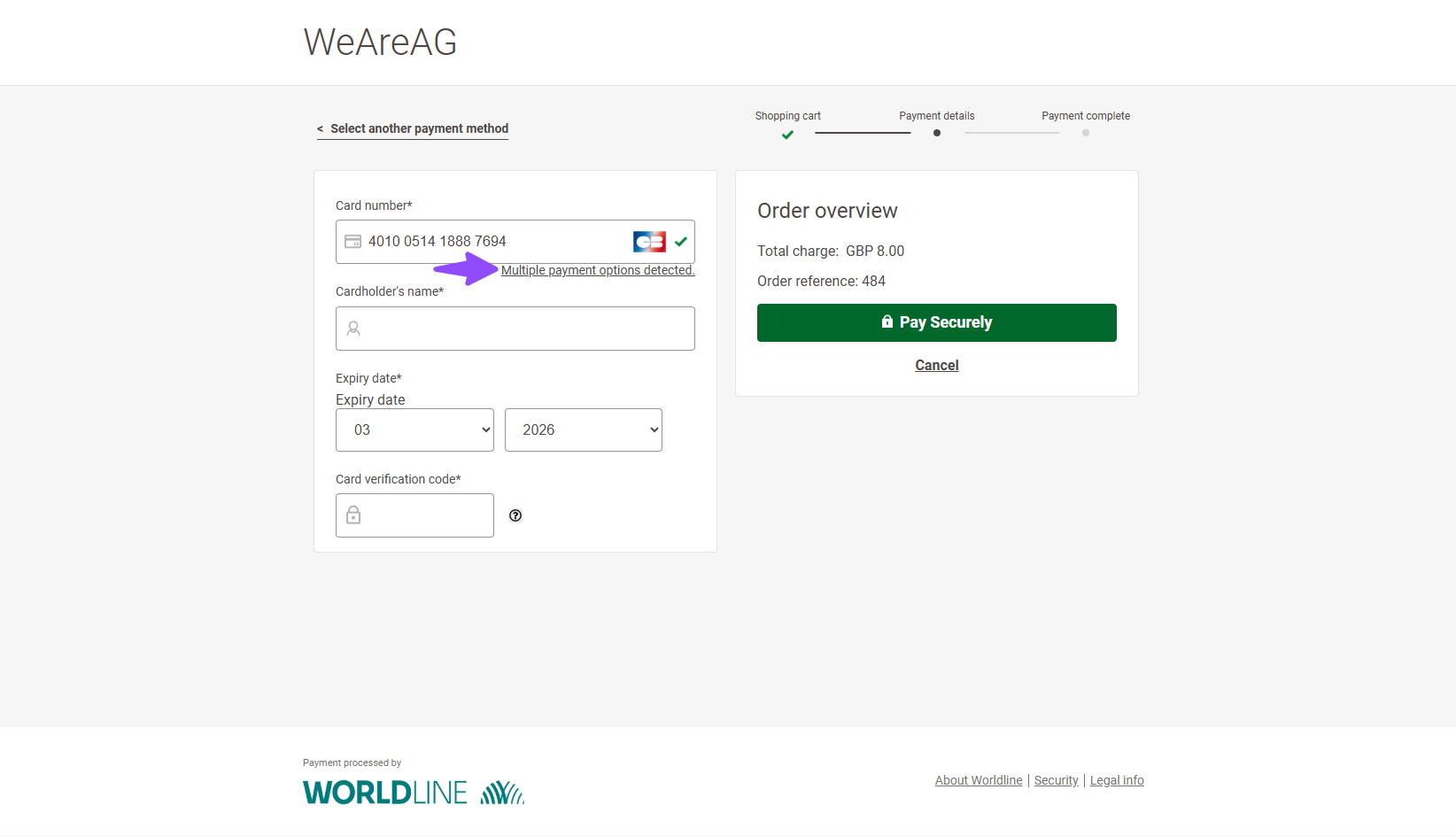
All card options are grouped together to keep the payment method selection screen clear and organised. Customers can still switch to a different available card option before completing the payment. Here’s a first-hand look on how it will show up on the payment page:
Selecting the preferred card/gateway:
After the selection, it will load up the grouped card options:
How to enable this feature?
You will need to enable the option from the WordPress dashboard, as the administrator. After logging in, proceed in following the steps below:
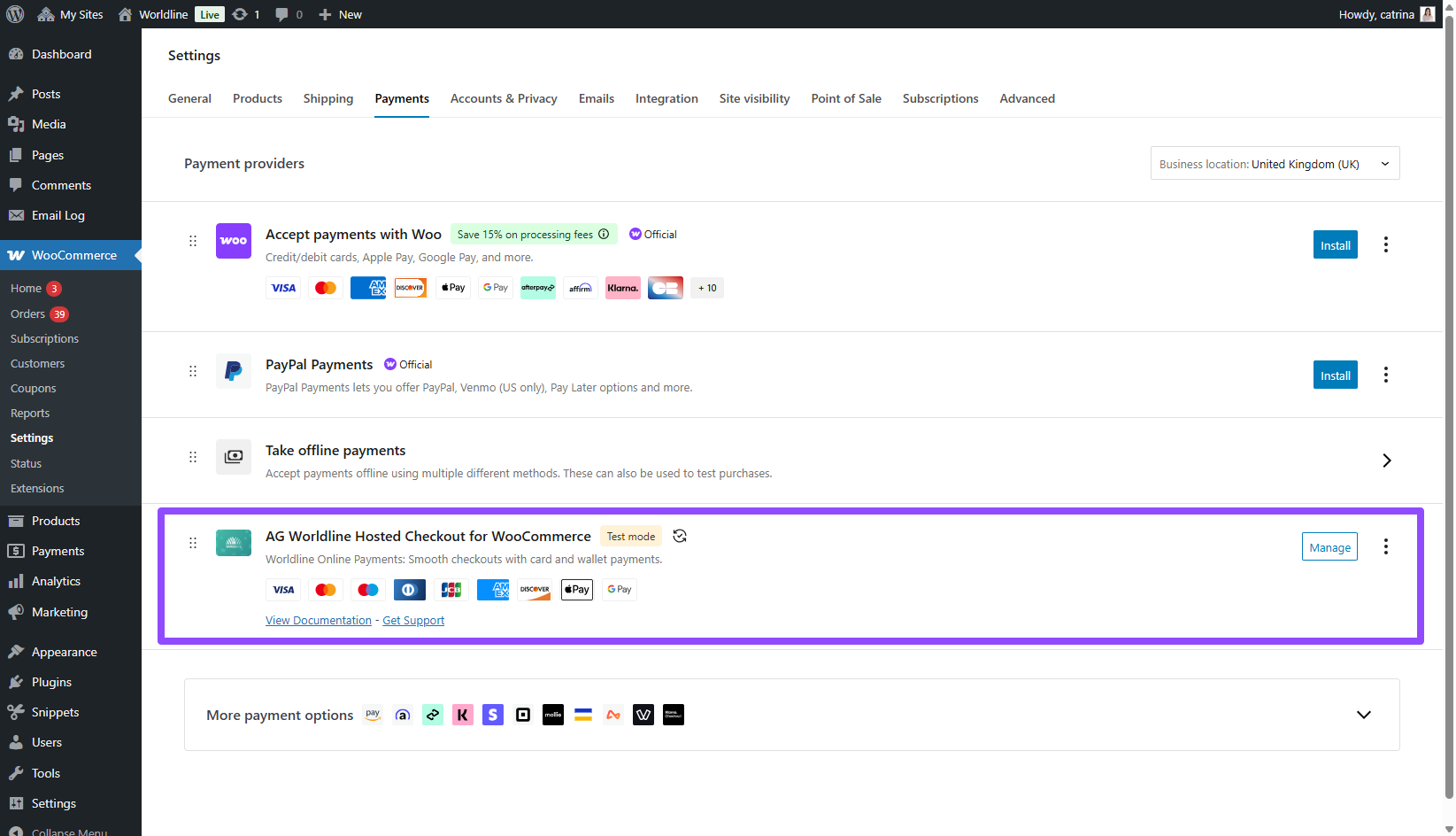
- Go to WooCommerce Settings > Payments tab > AG Worldline Hosted Checkout For WooCommerce > Manage
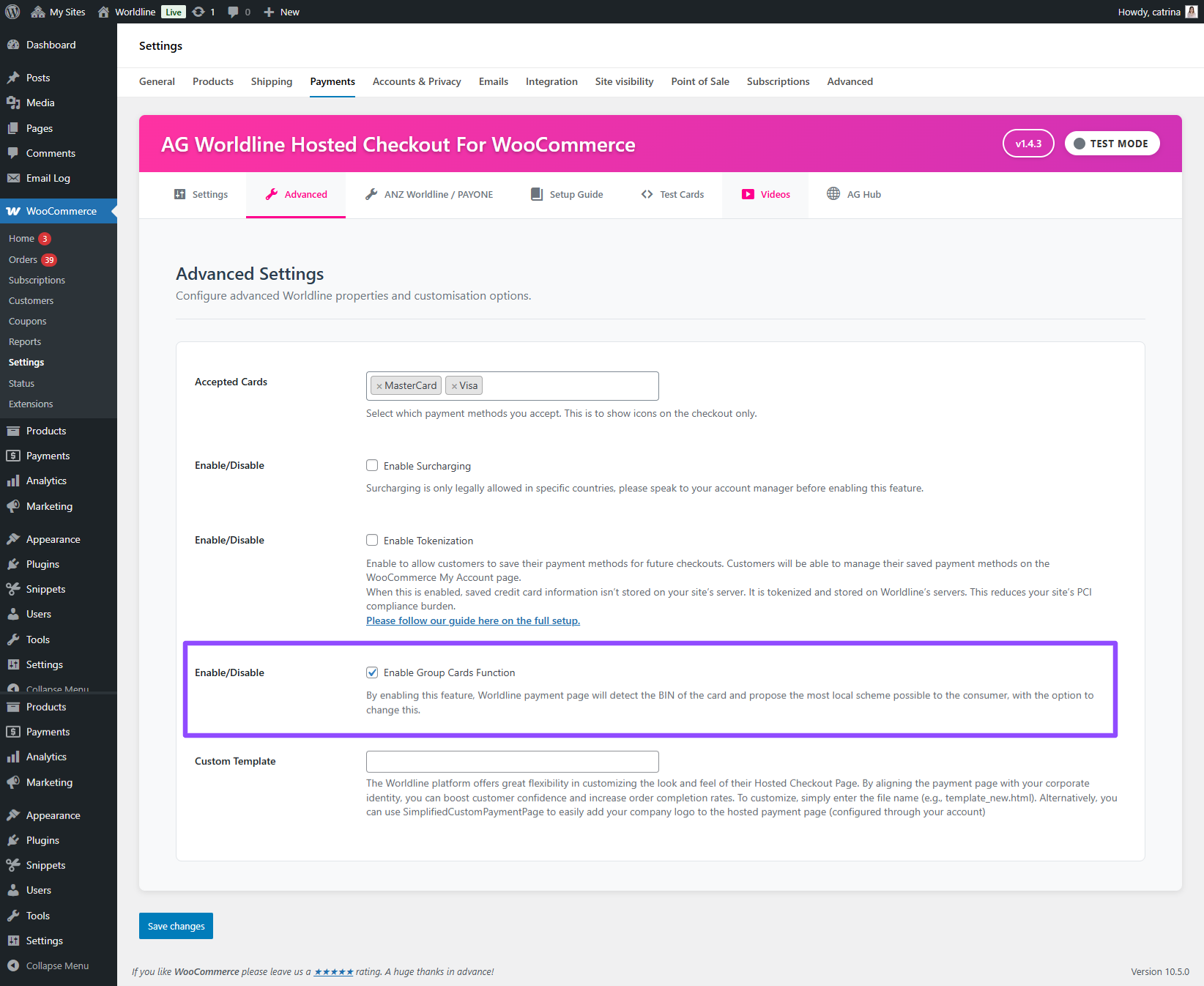
- Click the Advance tab > Scroll down a bit > Tick the checkbox for “Enable Group Cards Function” to enable it and Save your settings.
If you have more questions regarding this feature, please feel free to contact us and let our support team know about it and we’ll be glad to help.
Was this helpful?