Downloading Invoices for We are AG Products
To download invoices for your We are AG product purchases, simply follow these steps:
Step 1: Access Your We are AG Account
Log in to your We are AG account here.
Step 2: Navigate to the Order History Tab
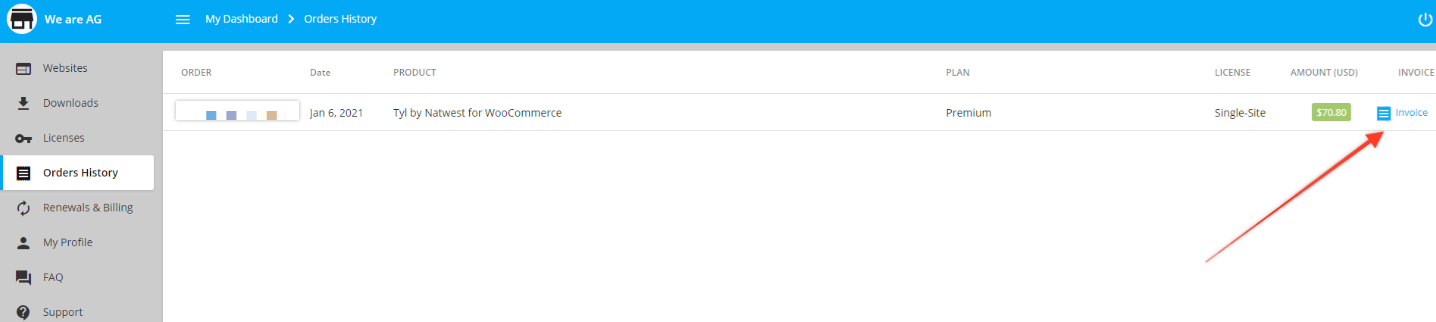
From your dashboard, click on the Order History tab.
You should see a list of all your We are AG product purchases.
Step 3: Download the Invoice
Next to the invoice you’d like to download, click on the Invoice link. The invoice will be downloaded as a PDF file.
Adding Address Details to Your Invoice
If you want your address details to be included on the invoice, follow these additional steps:
- Click on the My Profile tab in the left sidebar.
- Enter your address details in the appropriate fields.
By following these steps, you’ll be able to easily download invoices for your We are AG product purchases and ensure your address details are included on the invoice.
Was this helpful?