Enable iframe with Opayo Server Option
To provide a smoother checkout experience and keep customers on your site during payment, you can enable the iframe option in the Opayo Server settings.
Follow the steps below to turn it on in your WooCommerce store.
- Go to WooCommerce > Payments.
- Select AG Opayo Server and click Manage.
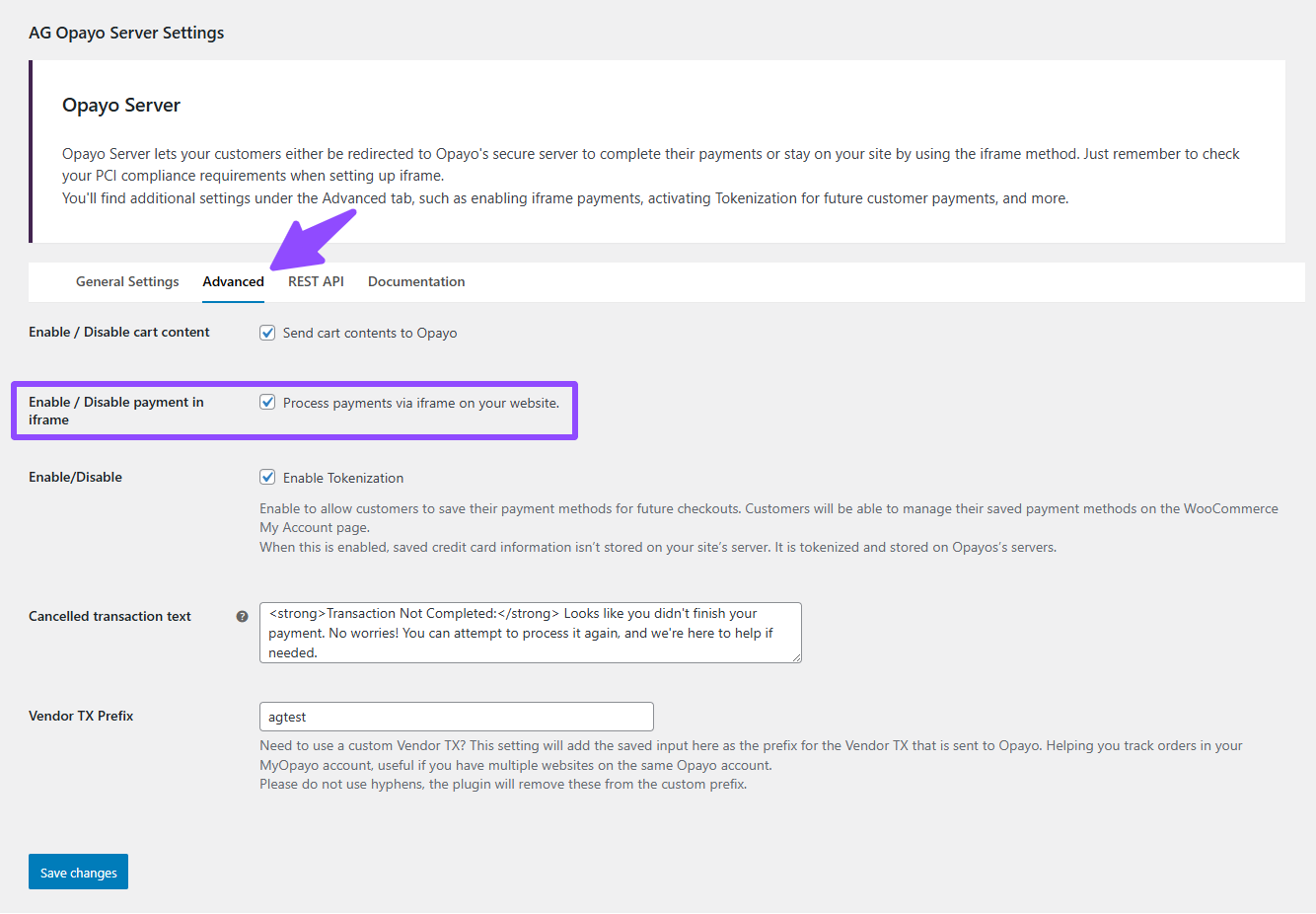
- Navigate to the Advanced tab.
- Tick the checkbox labelled “Process payments via iframe on your website.”
- Click Save to apply the changes.
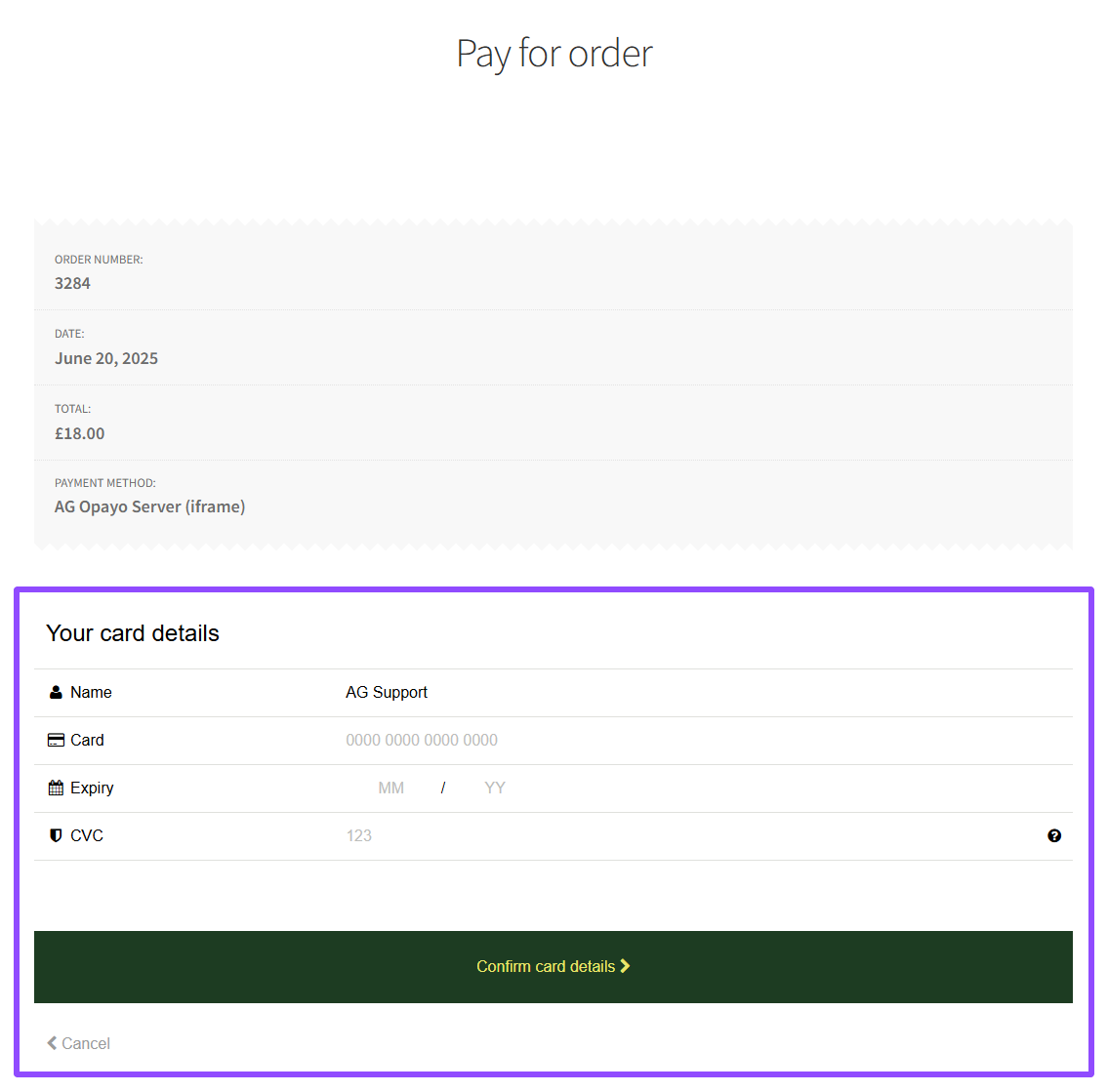
- Once enabled, the checkout process will display the payment form directly on your website, as shown below.
That’s it! If you need help or run into any issues, feel free to reach out; we’re always here to assist you. Just submit a ticket here.
Was this helpful?